DRUID v9.19
Deployment Dates
The table below lists the deployment date of Druid v9.19 across Druid Clouds. To view the Druid Releases Calendar, see Druid Releases.
|
Druid Cloud Community *.community.Druidplatform.com |
Druid Cloud US *.us.Druidplatform.com |
Druid Cloud Australia *au.Druidplatform.com |
Druid Cloud West-Europe (PROD) *.Druidplatform.com |
|---|---|---|---|
| March 26, 2026 | April 14, 2026 | April 14, 2026 | April 14, 2026 |
These release notes give you a brief, high-level description of the improvements implemented to existing features.
If you have questions about your Druid tenant, please contact support@Druidai.com or your local Druid partner for more information.
What's New
- Enhanced Security – Druid Portal Access Control via IP Whitelisting. To provide an additional layer of protection for enterprise environments, this release introduces Portal Login IP Whitelisting. Portal administrators can restrict access to the Druid Portal to specific authorized IPs or networks, such as corporate locations or secure VPN gateways. The restriction applies to all authentication methods, including standard user credentials and Single Sign-On (SSO), and supports both individual IP addresses and CIDR notation.
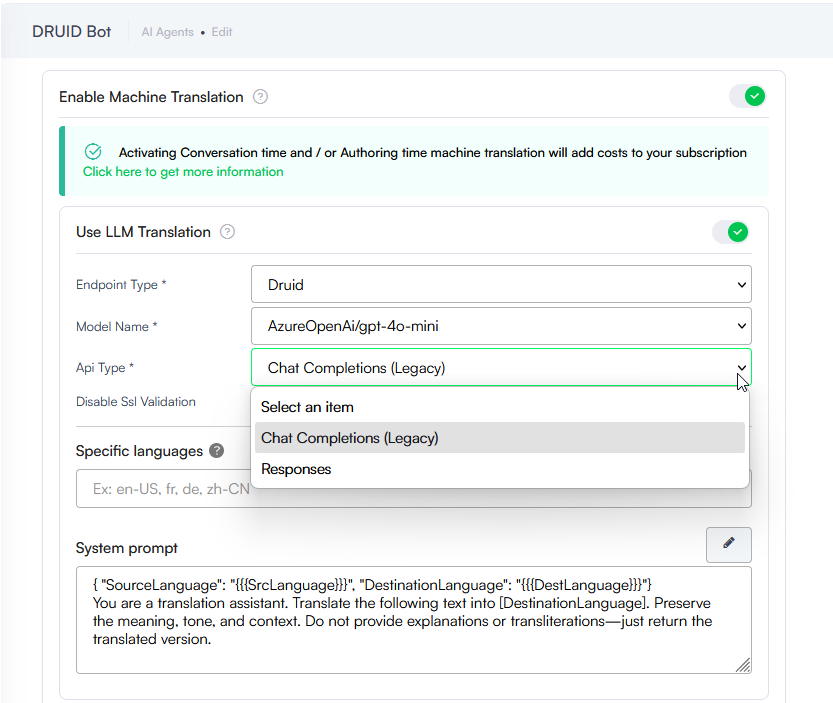
- Support for Azure OpenAI /Responses API. We have introduced support for the
/ResponsesAPI for Azure OpenAI models. This update allows the AI Agent to provide higher quality and more efficient responses. - Real-time response generation
- Enhanced intent recognition
- KB Advanced settings - Generative Endpoints (LLM chunker)
- Machine Translation with LLM
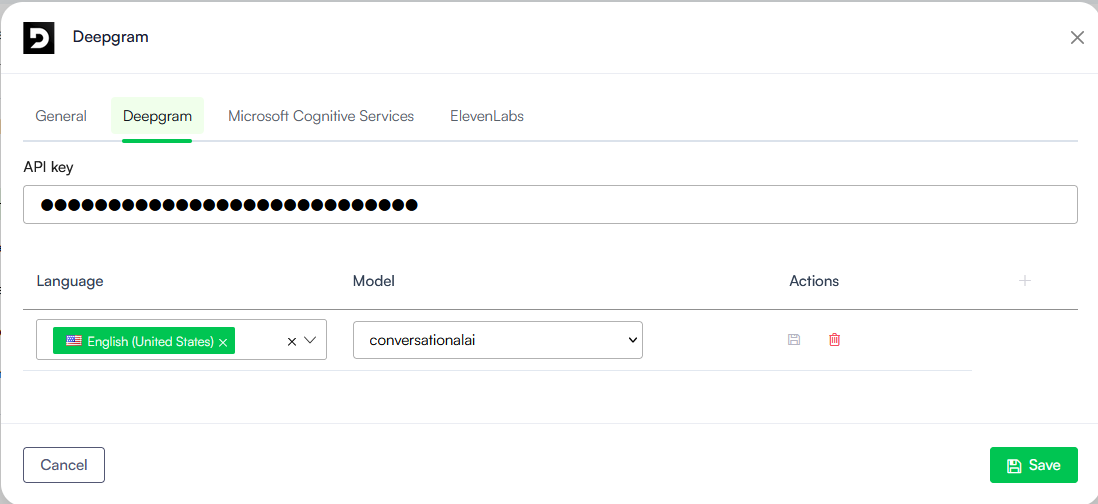
- Soniox Speech-To-Text (STT) Support. Elevate your voice-based AI Agents with our new Soniox STT integration. Complementing our existing list of STT providers, Soniox introduces semantic endpointing to intelligently detect when a user has finished speaking based on context rather than just silence. This integration ensures "human-parity" accuracy across 60+ languages and natively supports multilingual code-switching, allowing the AI Agent to follow conversations seamlessly even when users switch languages mid-sentence.
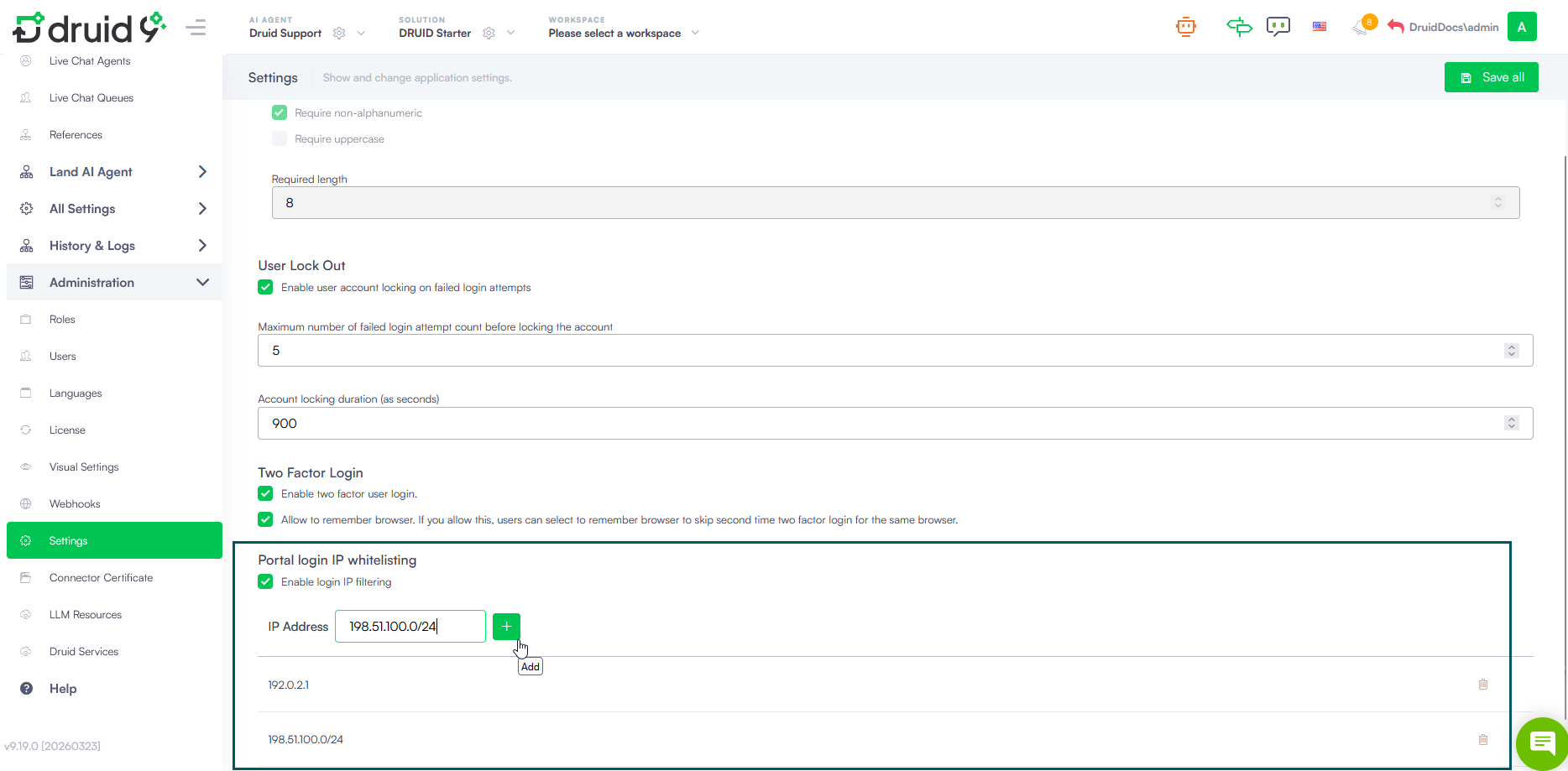
For more information, see Enforce Druid Portal Access via IP Whitelisting.
For GPT OSS full on premise installation, the model can now be consumed across the entire Druid AI Platform. This ensures a consistent, high-performance LLM experience even in fully local environments.
Available capabilities include:
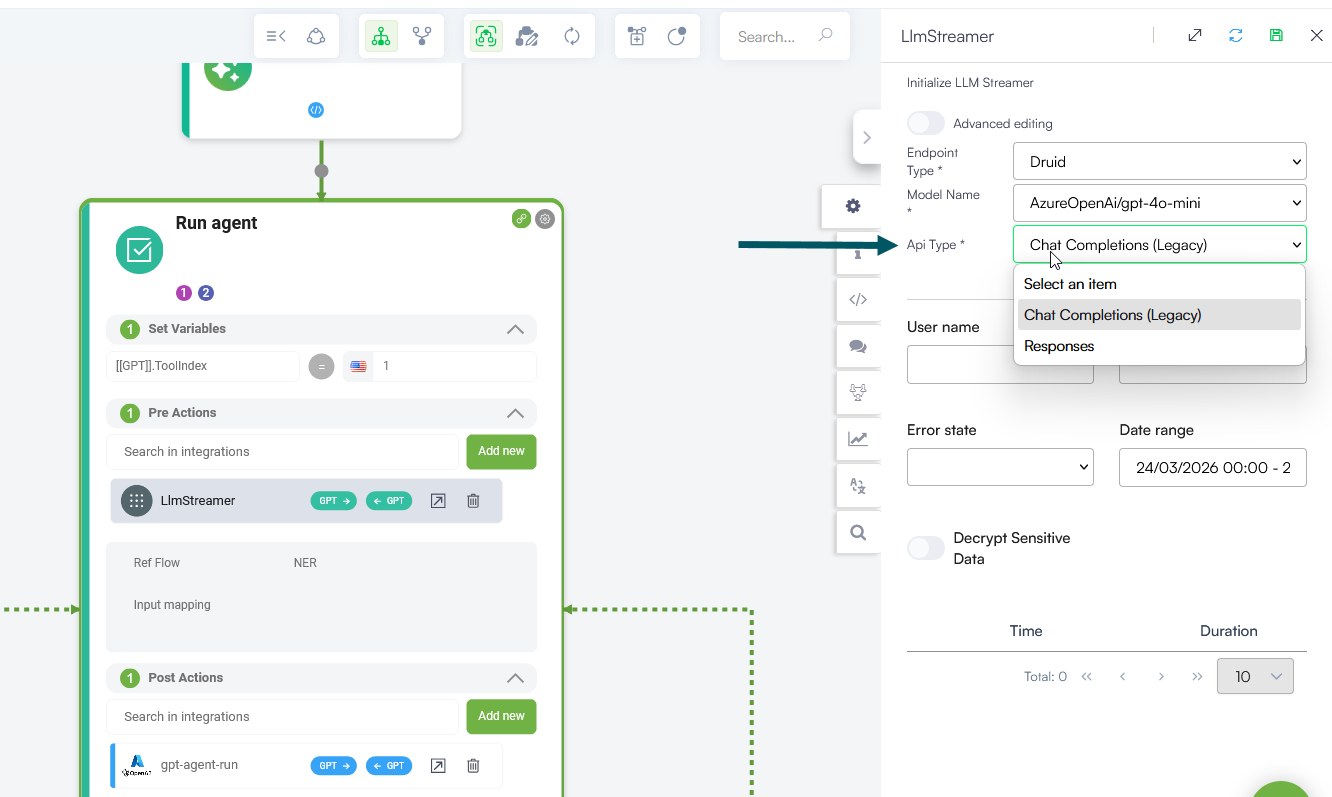
For more information, see Use LLM Response Streaming for Voice Interactions.
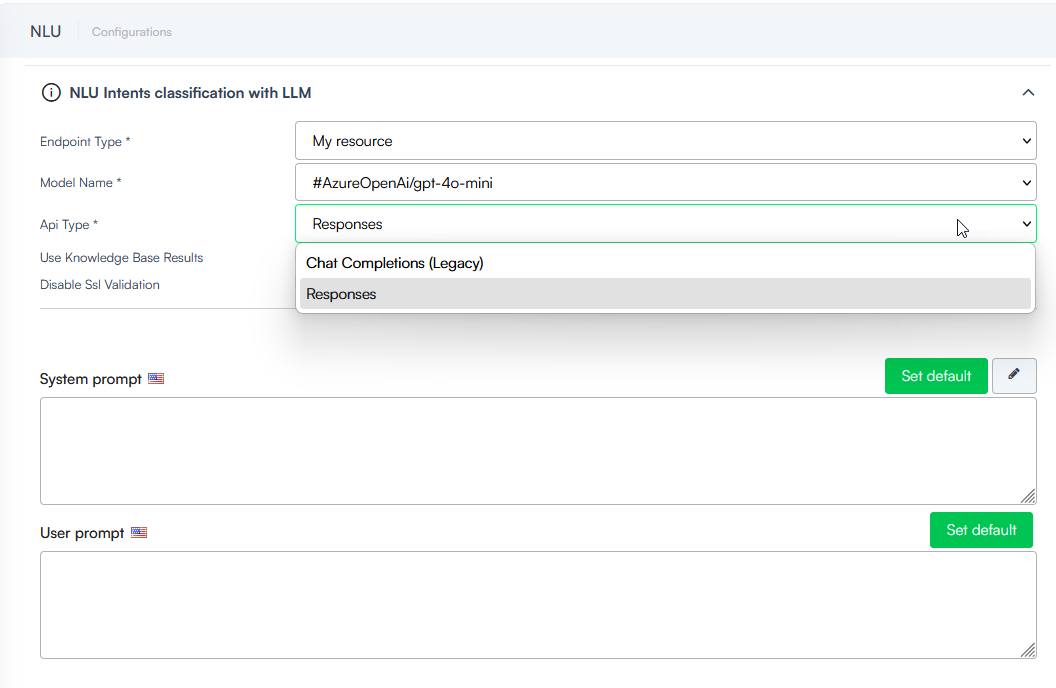
For more information, see NLU Intents Classification with LLM.
For more information, see Generative Endpoints.
For more information, see Using Machine Translation.
Improvements
- Enhanced Voice Message Logging. Conversation History now records the exact message delivered to users in voice-based flows. For voice channels (such as Audiocodes and VoiceText), the system captures the content defined in the Speak field of the Voice section for each flow step. This update ensures the audit trail reflects what users actually hear, instead of the default message from the General section.
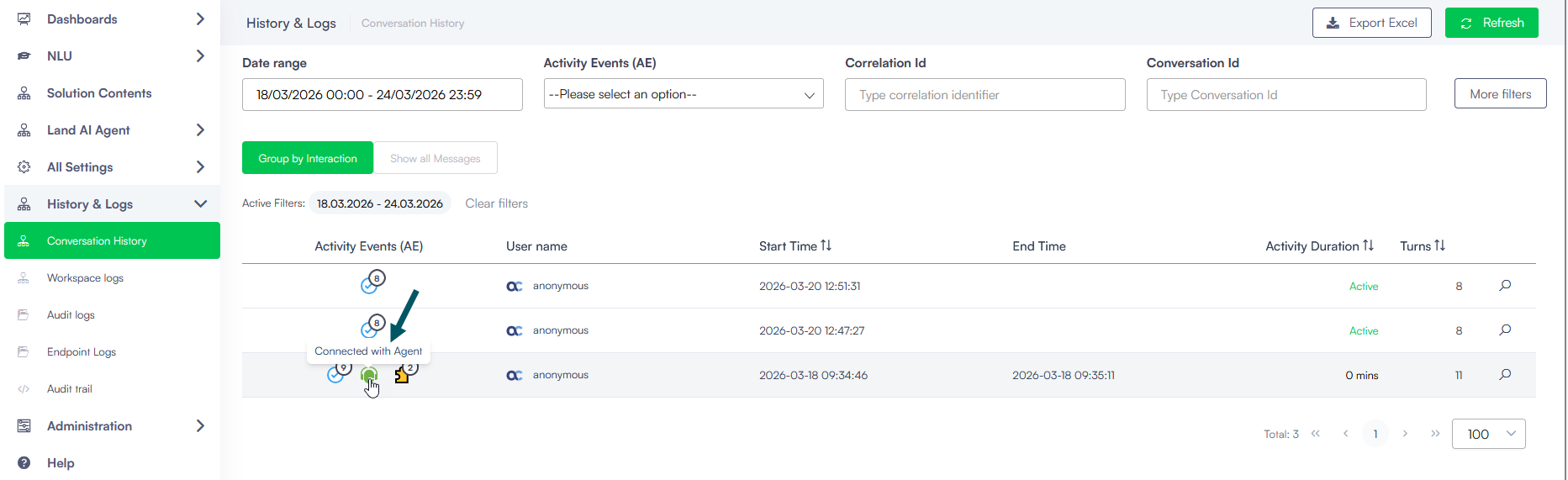
- AudioCodes - Transfer Event Logging. We have enhanced the visibility of handoffs in AudioCodes voice channel. When a conversation is transferred to a contact center queue via the transfer backchannel flow step, the platform now records a new ChatActivity event in the Conversation History. This improvement offers the following benefits:
- Improved traceability: A “Connected with agent” event is logged the moment the transfer request is successfully sent from Druid to the contact center.
- Routing confirmation: Since contact centers do not typically return a confirmation once a live agent actually picks up, this event serves as the definitive record that the routing action was initiated by the AI Agent.
- Audit accuracy: This update ensures that the Conversation History accurately reflects the transition from the AI Agent to the external queue, providing better data for session lifecycle tracking.
- RingCentral – Location Sharing Support. Authors can now use the Location flow step to request and receive geographical data from users interacting via RingCentral. With this update, AI Agents deployed on RingCentral can:
- Capture and store users' geographical location shared in the chat (stored in the [[GeoLocation]] system entity or a custom entity field).
- Share a specific location with users in the chat, rendered similar to a Google Maps preview.
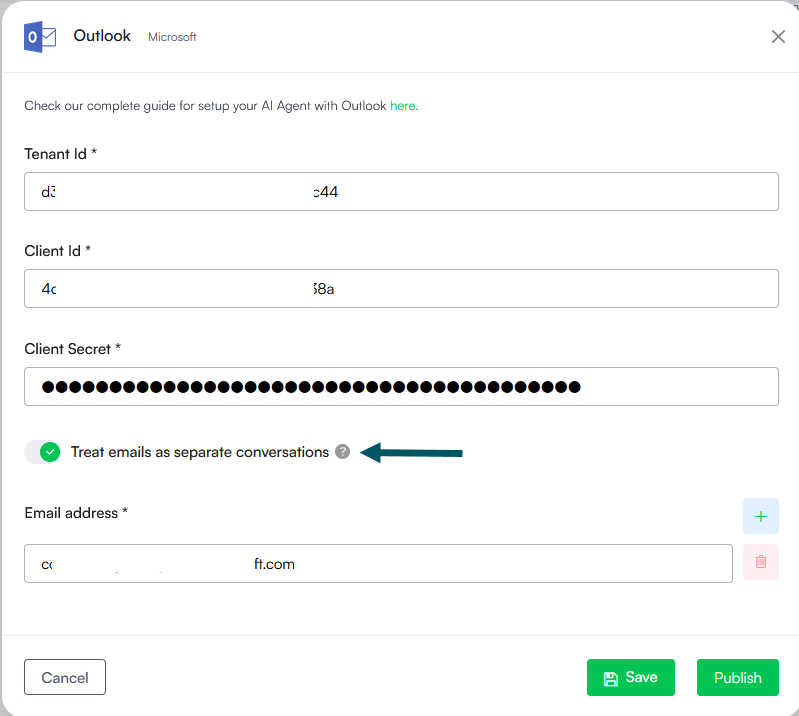
- Outlook Channel – Conversation Management Enhancement. Added a new configuration option to control how email threads are handled. A Treat emails as separate conversations toggle is now available in the Outlook channel settings. When enabled, each incoming email is processed as a new conversation, even if it belongs to an existing thread. This is useful for service desk scenarios where every email must be handled as an independent request or ticket.
- Webhooks - External File Ingestion. We have introduced the
/GenericIntegrationFileTransferendpoint to simplify how external systems send documents to Druid. By supporting multipart/form-data, this new endpoint provides a standardized way to upload files in Druid via integrations. -
Facebook Data Deletion Support. We have introduced a new special flow to help organizations comply with Facebook's data privacy policies. When a user requests data deletion via Facebook, Druid can now automatically trigger a designated Facebook data deletion flow. This allows authors to programmatically anonymize or delete user data from the Conversation History and internal entities, ensuring full compliance with GDPR and platform-specific privacy requirements.
-
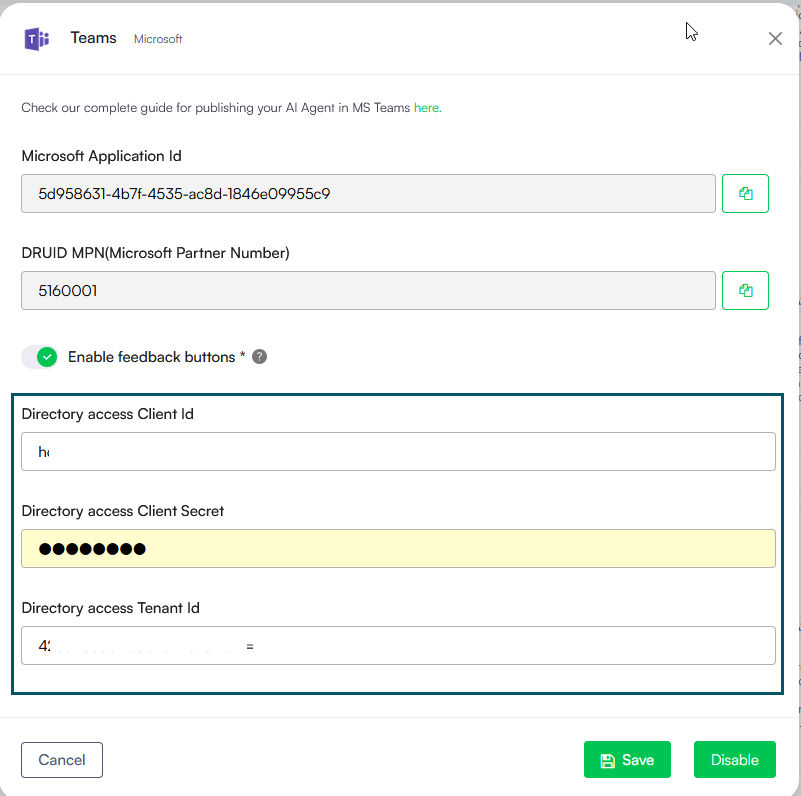
Microsoft Teams Channel – RBAC with Microsoft Entra ID Groups. Starting with this release, you can configure the Teams channel to retrieve users’ security groups from Microsoft Entra ID (formerly Azure AD). This enables role-based access control for operational flows, allowing you to grant or restrict access based on the user’s organizational groups.
- Talkdesk Live Chat - File Transfer Support. Starting with this release, file transfer between users and agents is supported for the Talkdesk integration. This allows both parties to exchange attachments seamlessly during a live chat session. To enable this functionality, you must add the following scopes to your Talkdesk OAuth Client:
- attachments:download
- attachments:read
- attachments:request
- attachments:write
- RingCentral CX- Conversation End Support. Starting with this release, Druid supports the conversation end event for the RingCentral CX integration. This ensures that the session closes immediately when the conversation ends in RingCentral CX, rather than waiting for the Live chat conversation idle timeout mins threshold. To enable this functionality, you must create a webhook in RingCentral CX.
- AI Agent - Default Language Protection. To ensure the integrity of your AI Agent configuration, once an AI Agent initial configuration is saved, the default language becomes read-only. This restriction prevents accidental changes that could break existing flows, intent recognition, or language-specific entity configurations.
- Knowledge Base - Support for Google MIME Types in All Data Sources. Starting with this release, the Knowledge Base supports Google MIME type files across all data sources. Previously, Google native files (such as Google Docs, Google Sheets, and Google Slides) required conversion before they could be processed in the Knowledge Base. Druid now automatically supports these file formats, allowing you to upload Google file types directly to any data source.
- KB File Extractors - OCR & Image Extraction. We have introduced a new capability to convert visual content into searchable knowledge. For specific file types, authors can now enable OCR for pictures within the file extractor settings, Use OCR for pictures (Default: False).
- DOC / DOCX: Standard extractor.
- HTML: Standard extractor.
- PDF: Elpis and Daguerre extractors.
For more information, see Location steps.
For more information, see Implement Role-Based Access Control via Microsoft Entra ID Groups.
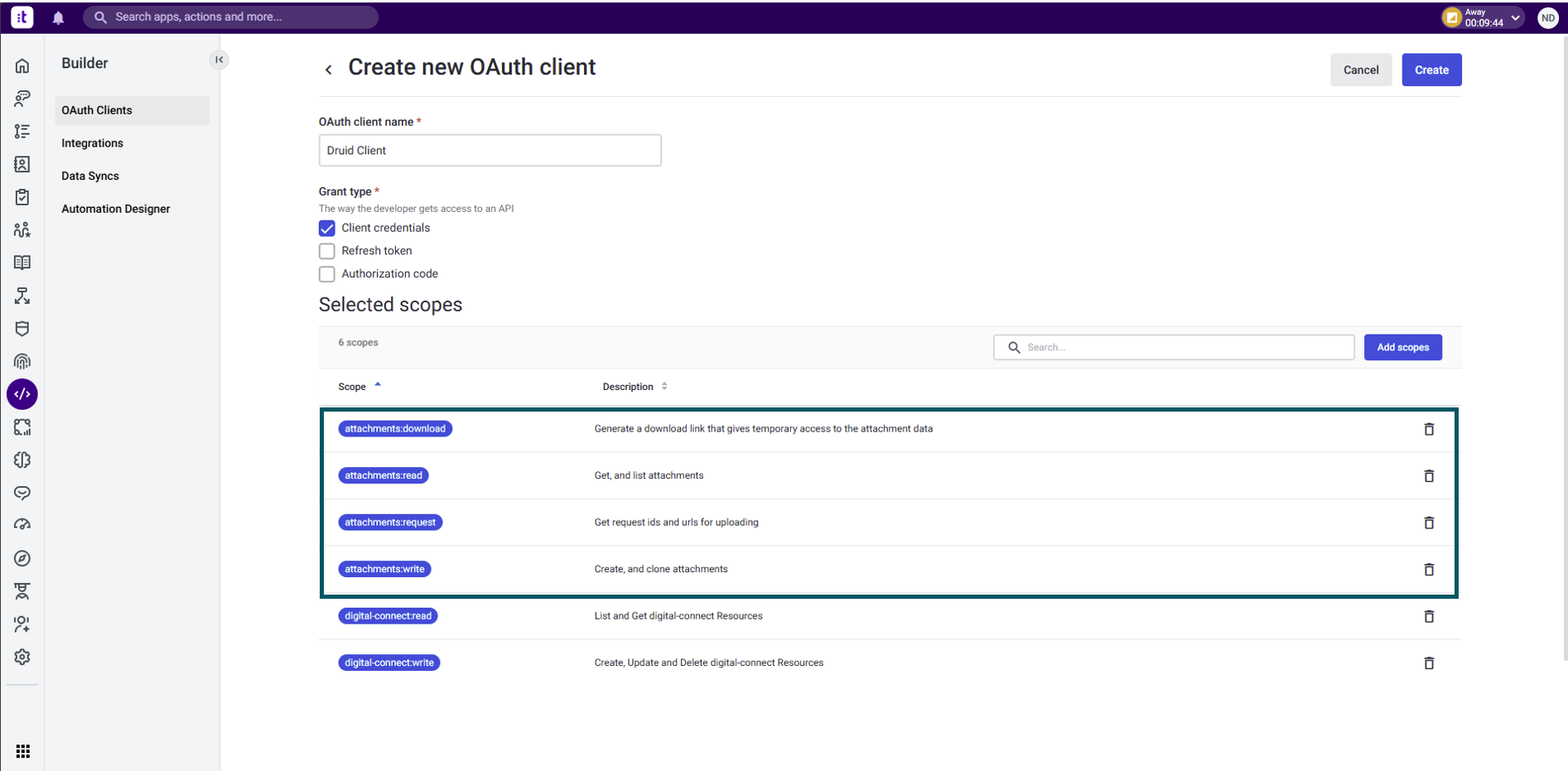
For more information, see Talkdesk Live Chat.
For more information, see Step 3. Create conversation end webhook in RingCentral CX.
When set to True, the extractor identifies images within the document and performs Optical Character Recognition (OCR) to convert them into text. This text is then indexed in the Knowledge Base, making the content of diagrams, screenshots, or scanned text fully searchable.
Supported Extractors:
For more information, see File Extractors.
Bug Fixes
- Outlook Channel – HTML Rendering Fix. Fixed an issue where messages containing HTML were delivered as plain text in email responses. Messages sent through the Outlook channel now correctly render HTML content, ensuring users receive properly formatted emails.